
This article is translated from the Chinese original.
1. Install Aria2 with Docker
1. Pull the Aria2 image
docker pull p3terx/aria2-pro2. Start the container
docker run -d \--name aria2 \--restart unless-stopped \--log-opt max-size=1m \-e PUID=$UID \-e PGID=$GID \-e UMASK_SET=022 \-e RPC_SECRET=prc_password \ # secret-e RPC_PORT=6800 \ # set the RPC communication port (must match the host port mapping)-e LISTEN_PORT=6888 \ # listening port-p 16800:6800 \ # map the RPC communication port-p 16888:6888 \ # map the BT listening port (TCP), which is the port defined by listen-port in Aria2-p 16888:6888/udp \ # map the DHT listening port (UDP), which is the port defined by dht-listen-port in Aria2-v /root/aria2/config:/config \-v /root/aria2/downloads:/downloads \p3terx/aria2-pro2. Install AriaNg with Docker
- Pull the AriaNg image
docker pull p3terx/ariang- Start the container
docker run -d \--name ariang \--log-opt max-size=1m \--restart unless-stopped \-p 16880:6880 \p3terx/ariang- Visit
http://your-server-ip:16880to open the AriaNg web admin page
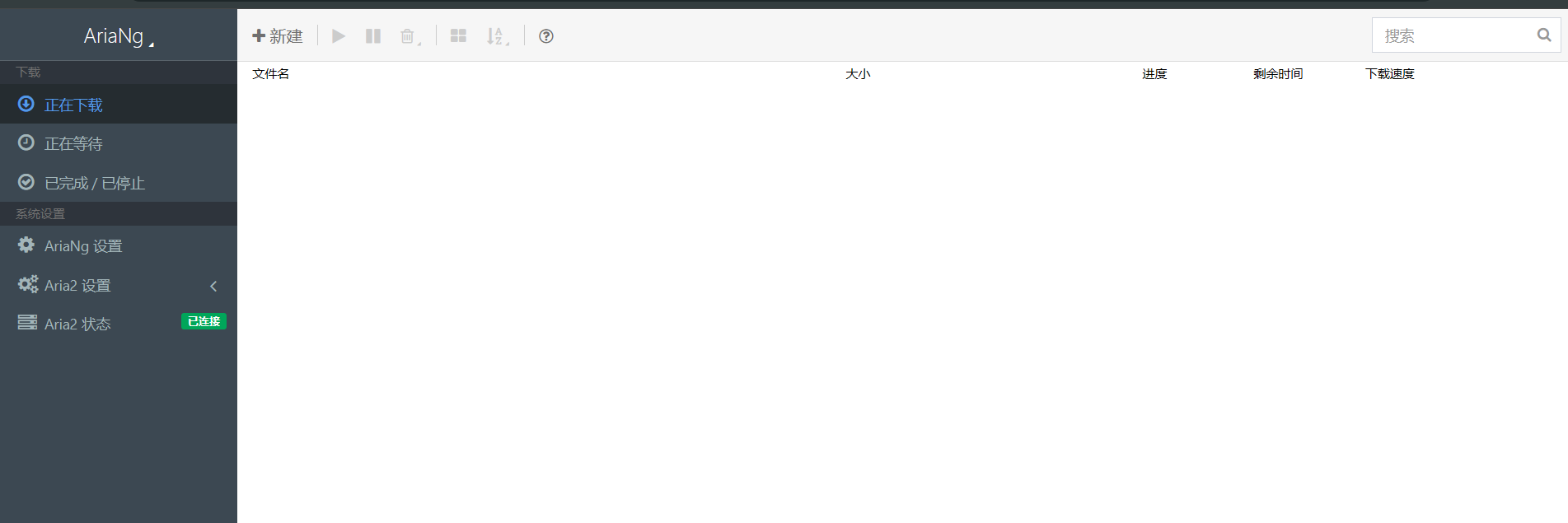
- Click the
AriaNg Settingsmenu, then click the tab to the right ofGlobaland configure RPC
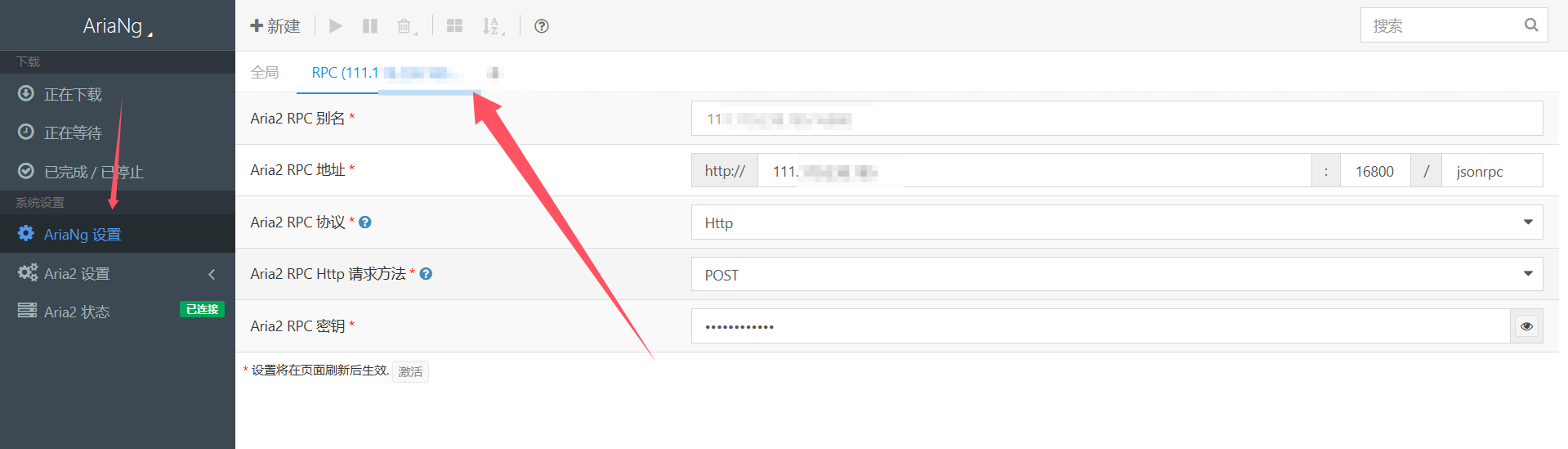
- Refresh the page after the configuration is done. If the status shows
Connected, then everything is working.