
This article is translated from the Chinese original.
Recently I picked up a junky little NAT VPS. It kept running out of memory and shutting down. Enabling swap helps a bit, enough to keep it barely running.
What is swap?
Swap is like a backup tire for memory. When physical memory is not enough, the system moves older data out of RAM and lets it lie on disk instead. It is slow, painfully slow, but still better than having your programs die on the spot.
Check the swap partition
free -m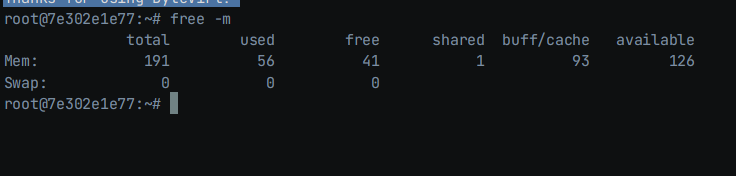
You can see that the swap partition is 0, which means it is not enabled.
Enable swap
A cleaner way is to create the swap file with fallocate:
fallocate -l 256MB /swapfileA more old-school way:
dd if=/dev/zero of=/swapfile bs=1M count=256In general, if your RAM is below 2 GB, setting swap to around 1.5 to 2 times the RAM is fine.
Set file permissions:
chmod 600 /swapfileActivate the swap partition:
mkswap /swapfileswapon /swapfileAfter doing that, run free -m again and you should see that swap has been enabled.

Below is some cleanup work.
Start automatically on boot
echo "/swapfile swap swap defaults 0 0" >> /etc/fstabAdjust the swappiness value
The default swappiness value is 60 (0 to 100). If it is too high, memory swapping happens too often and the CPU suffers.
You can check the value with:
cat /proc/sys/vm/swappiness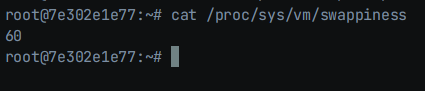
Set it a bit lower. This VPS is already a pile of recycled junk anyway.
Use this command:
echo "vm.swappiness=10" >> /etc/sysctl.confThen apply it:
sysctl -p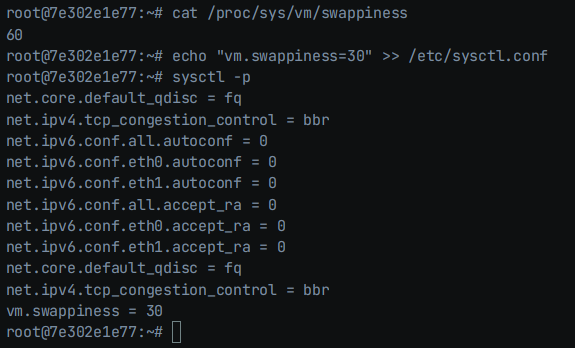
Enable it temporarily (will be lost after reboot)
sysctl vm.swappiness=10Disable swap
Turn off the swap partition:
swapoff -v /swapfileEdit fstab:
vim /etc/fstabDelete this line:
/swapfile swap swap defaults 0 0
Delete the /swapfile file:
rm /swapfile- Use swap wisely and your VPS will shut down less often; make it too large and your disk will wear out sooner.