
This article is translated from the Chinese original.
1. Background and prerequisites
Serv00 recently opened S14, and I grabbed two small machines to play with, so I wrote this down as a way to build a backup proxy node.
- Prerequisites:
-
- Register and log in to a Serv00 account
-
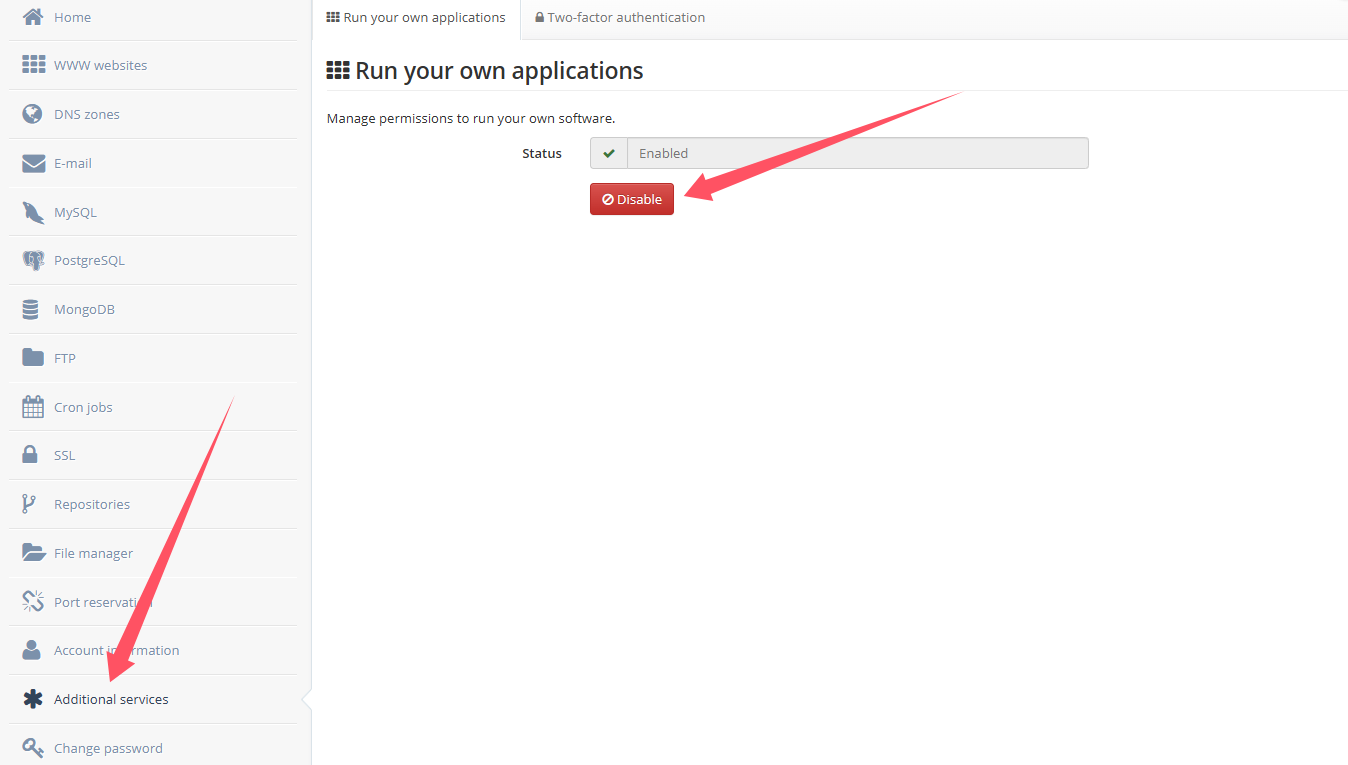
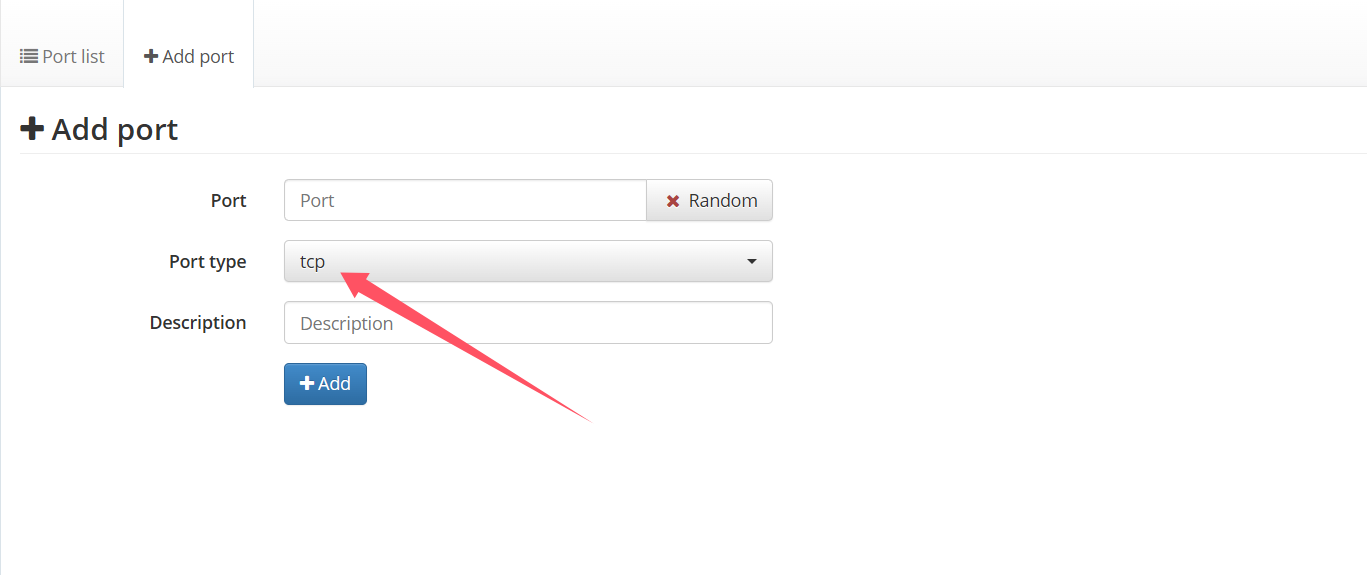
- Open the required Serv00 permissions and ports
- Randomly choose a TCP port
2. Install sing-box with a script and deploy a vmess node
Because I did not want a node with too many protocols, I did not choose those all-in-one scripts. I picked a modified script that supports only the vmess protocol. The GitHub repository is:
https://github.com/amclubs/am-serv00-vmess
- Installation command:
bash <(curl -Ls https://raw.githubusercontent.com/amclubs/am-serv00-vmess/main/install_serv00_vmess.sh)Installation
-
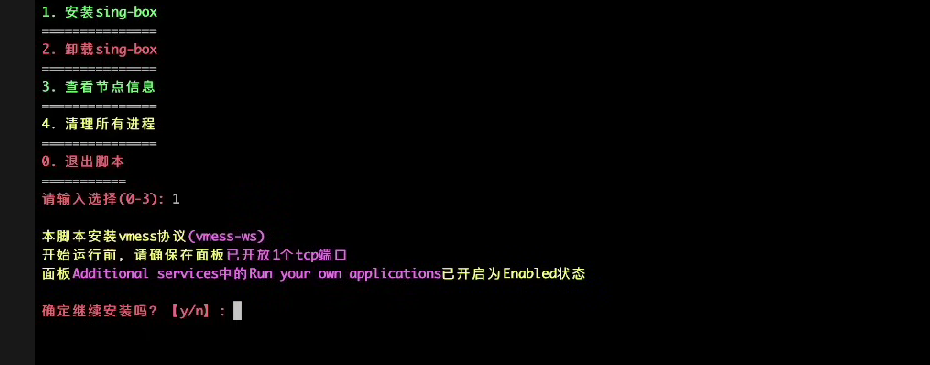
Enter
1to install sing-box -
-
Confirm the installation and enter the TCP port you generated earlier
-
Confirm that you want to use an Argo tunnel
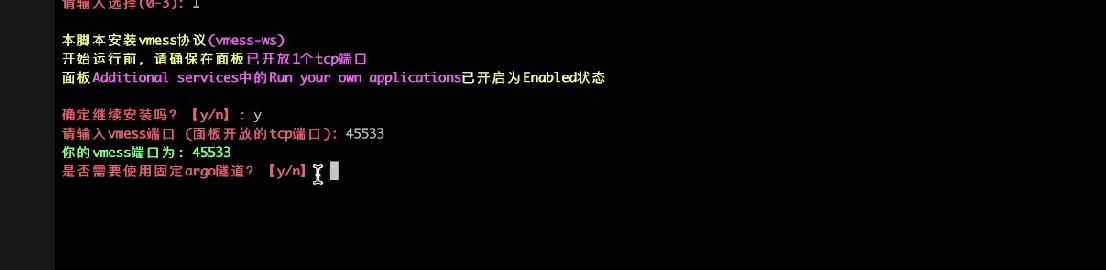
You can use a random Argo tunnel here, but a fixed Argo tunnel is more stable. So just follow the script flow and move on to creating one.
Create a fixed Argo tunnel
First, you need a domain managed by Cloudflare. Then open Cloudflare and click here:
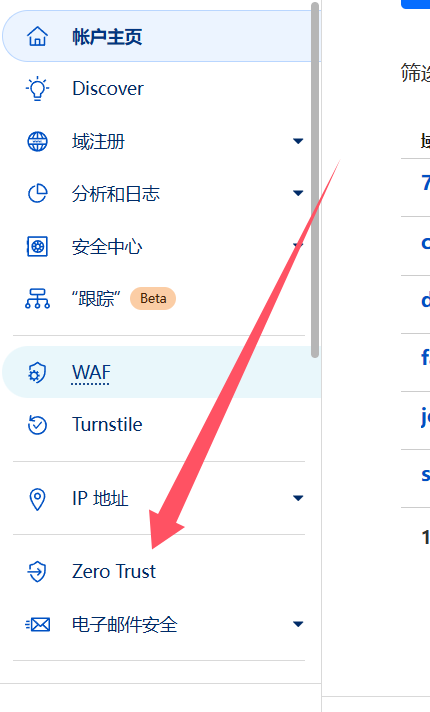
(You need to bind a payment method to enable this feature. I used PayPal successfully. The free plan is enough.)
Then click Tunnels.
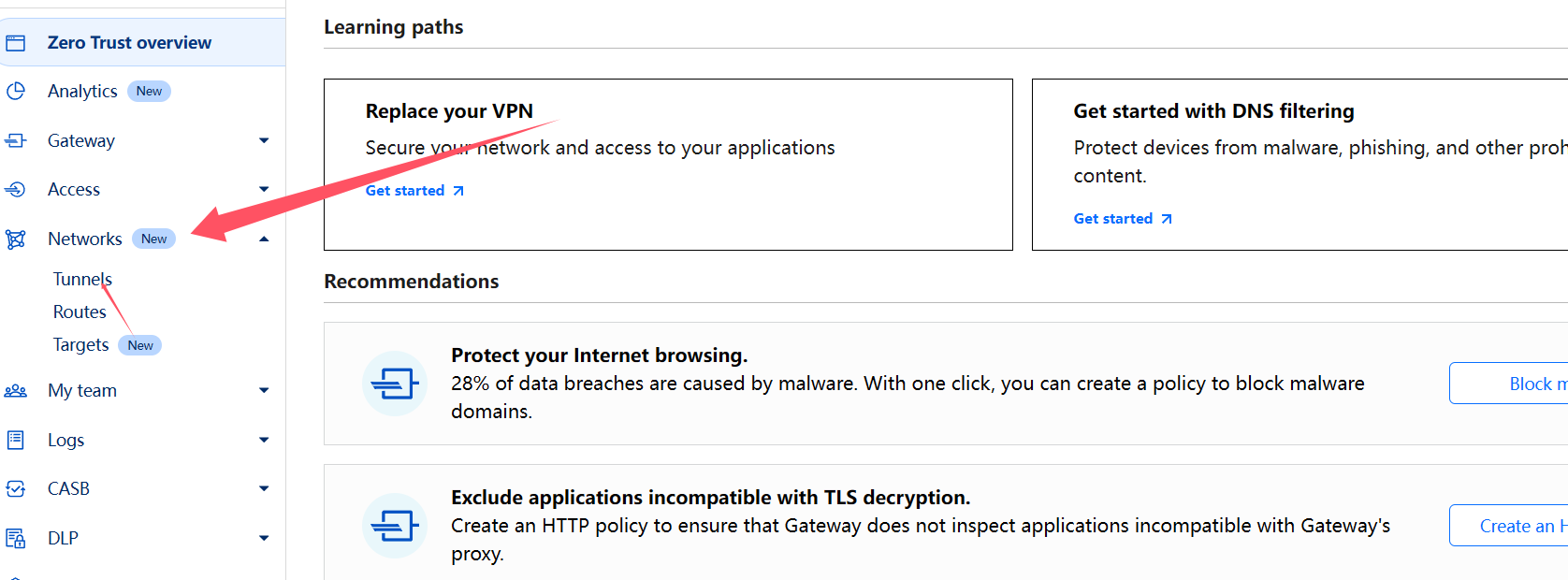
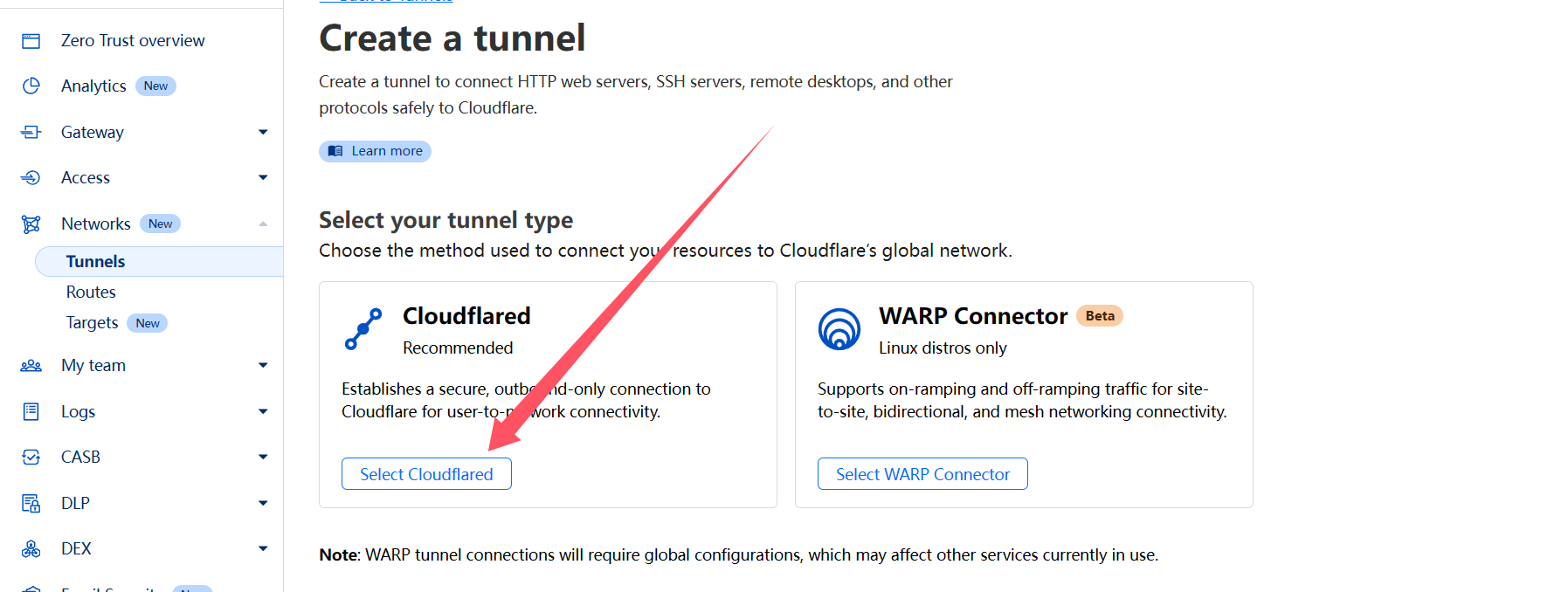
Create a tunnel. The name can be anything.

Continue.
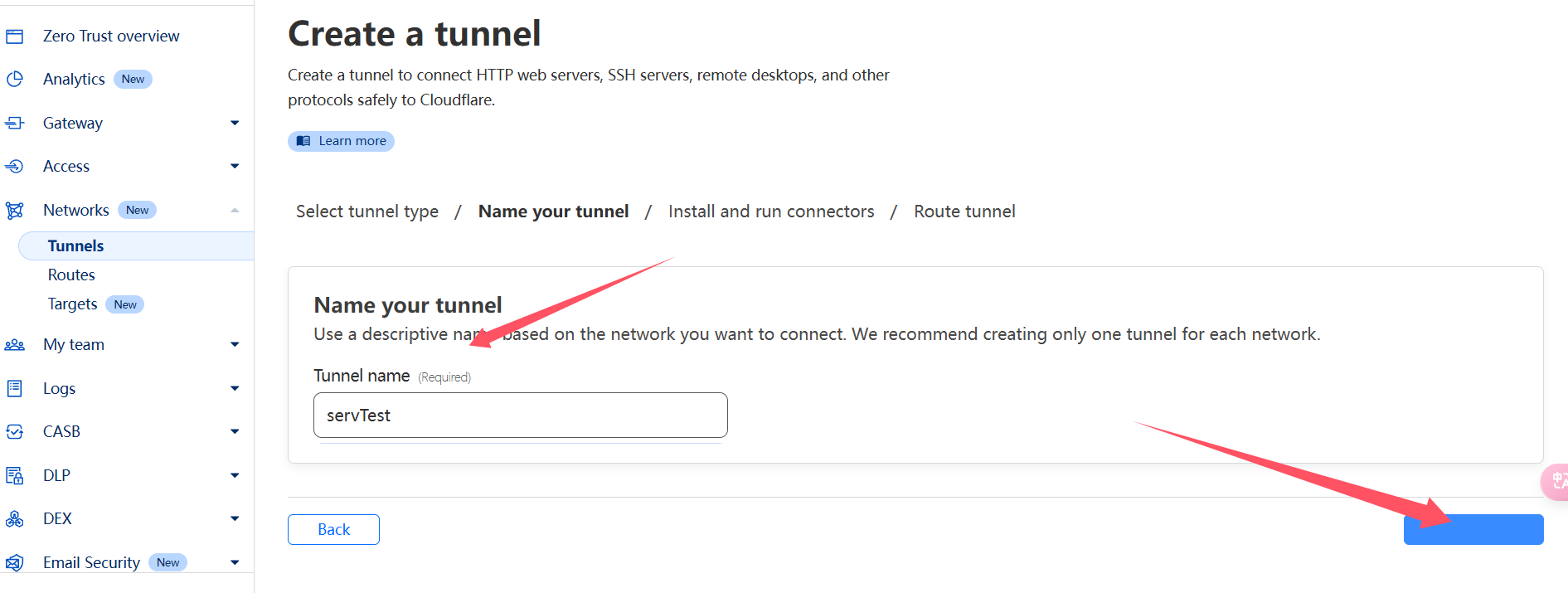
Enter the tunnel name and click deploy.
Copy out the token for later use.
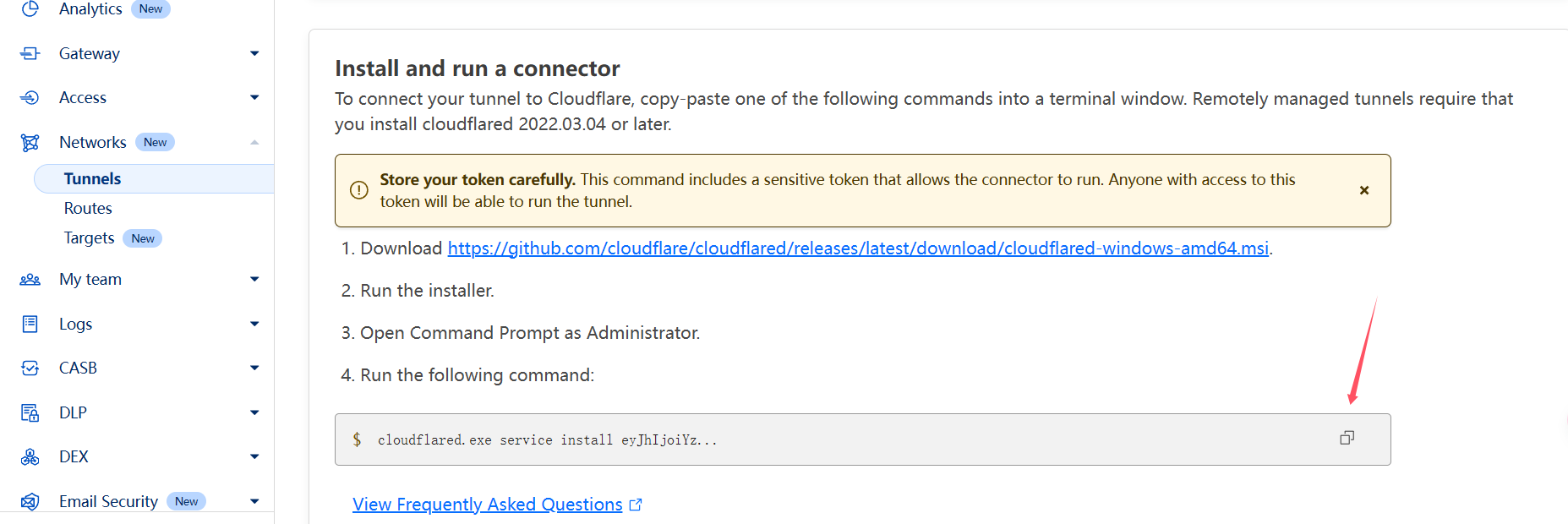
Click next and fill in the corresponding content as shown below.
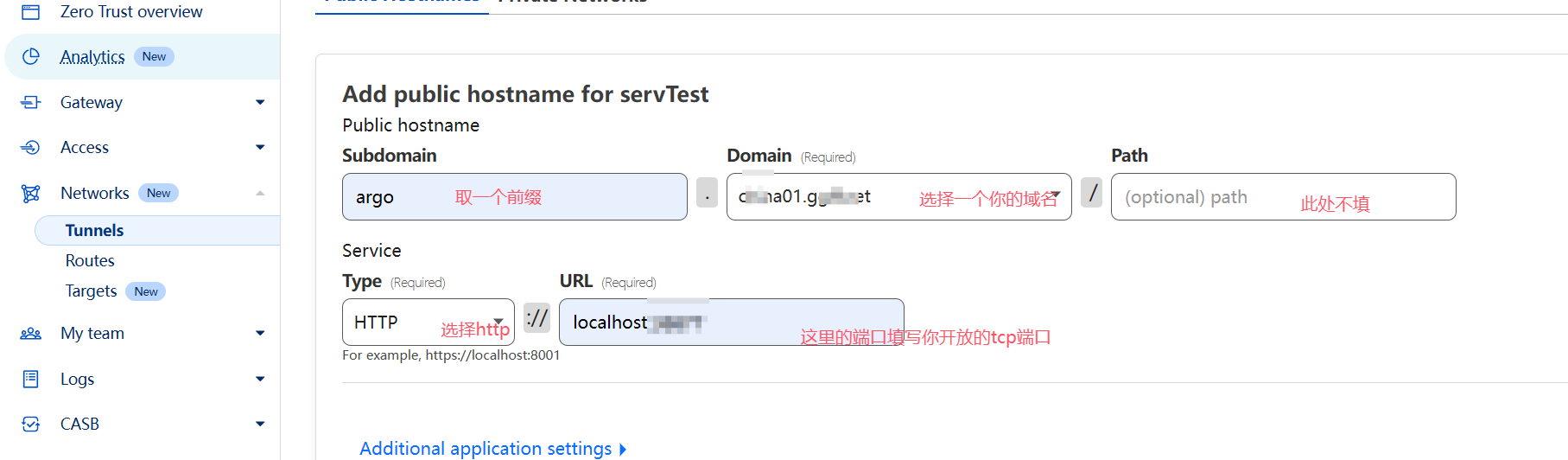
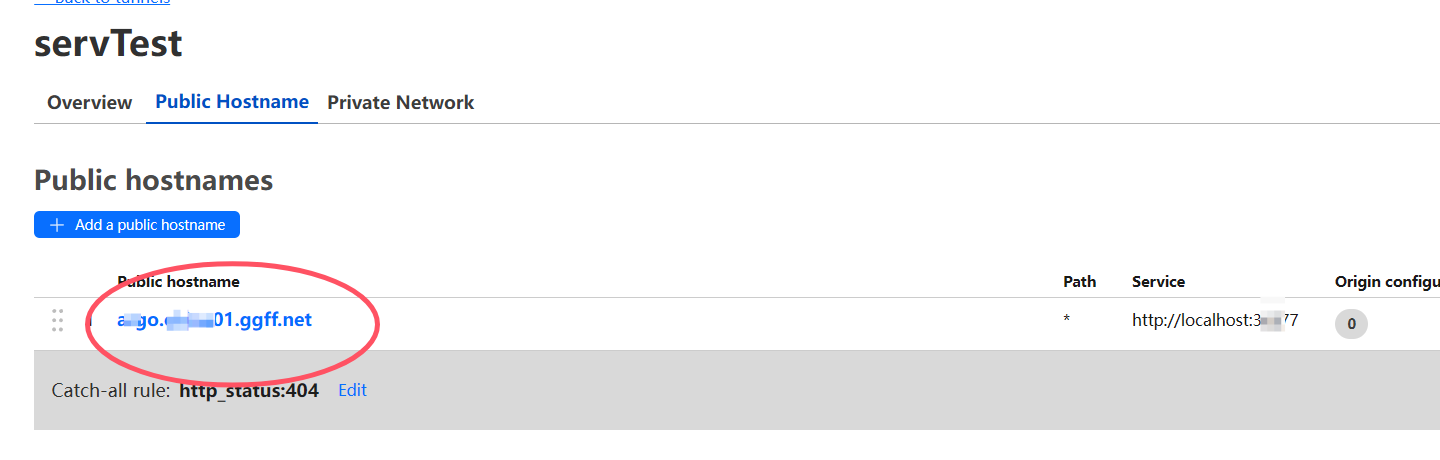
Click here to view the tunnel.

Copy the domain name.
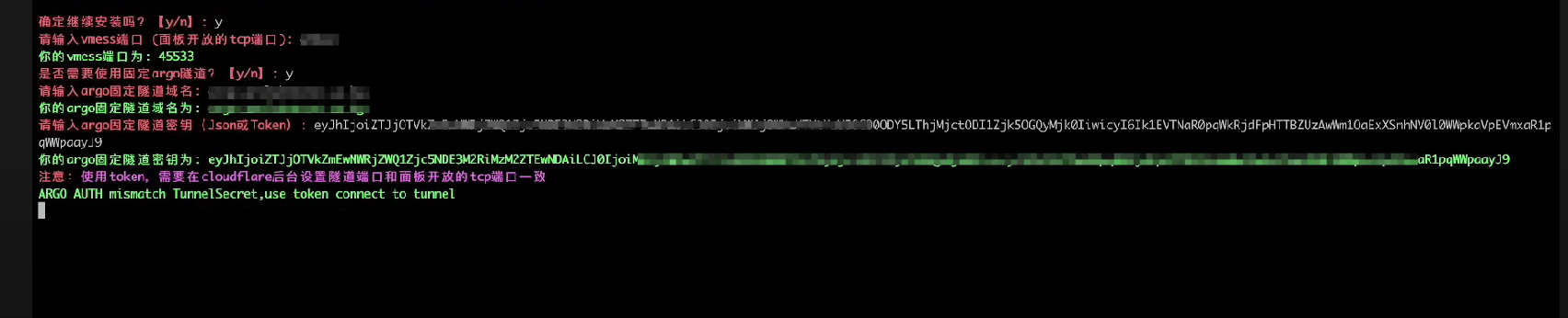
Then fill the tunnel name into the panel and enter the token you saved earlier. You will then see the generated node. Import it into V2Ray and it will work.
Set up origin port forwarding
To use Cloudflare optimized IPs to improve node speed, we need to configure origin port forwarding.
- Click the domain you just used, choose
DNS, and click edit 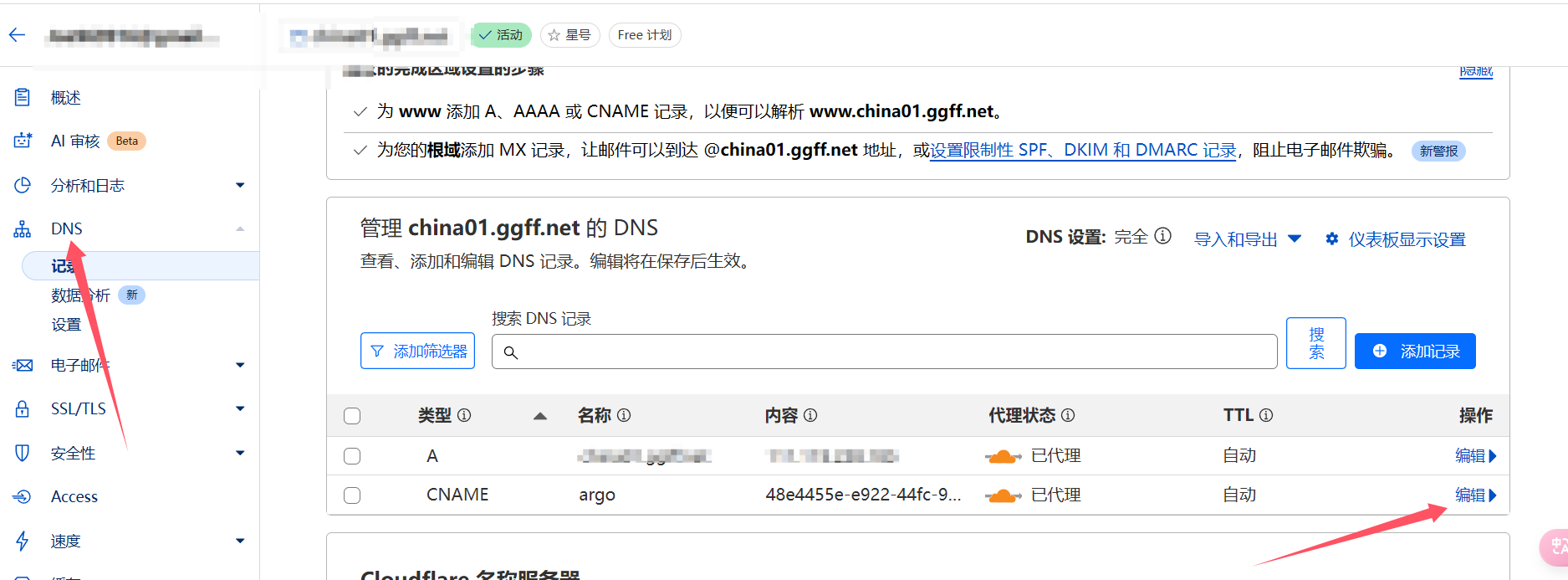
- Change the
CNAMEto anArecord, put in the server IP, and enable the orange cloud 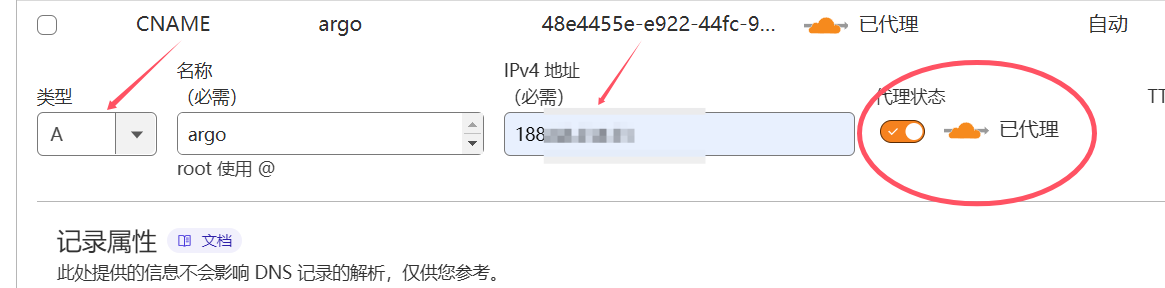
- Then click
Rules, and create anOrigin Rulesrule 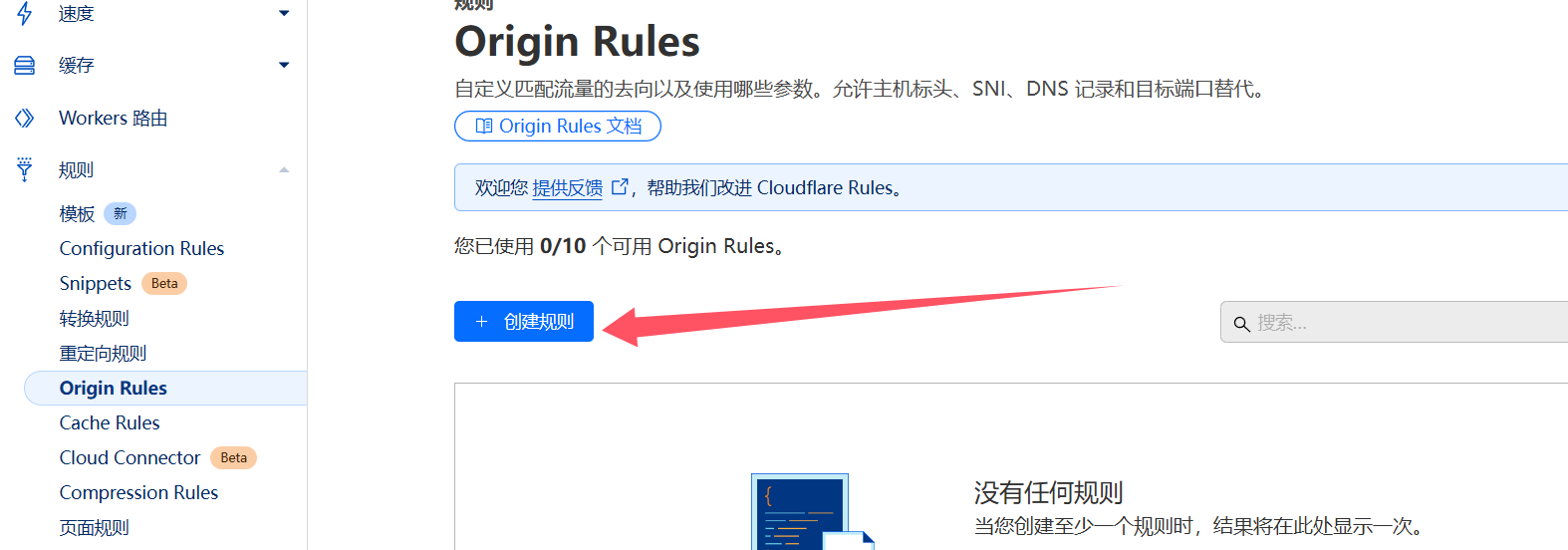
- Fill it out according to the screenshot below, save, and deploy
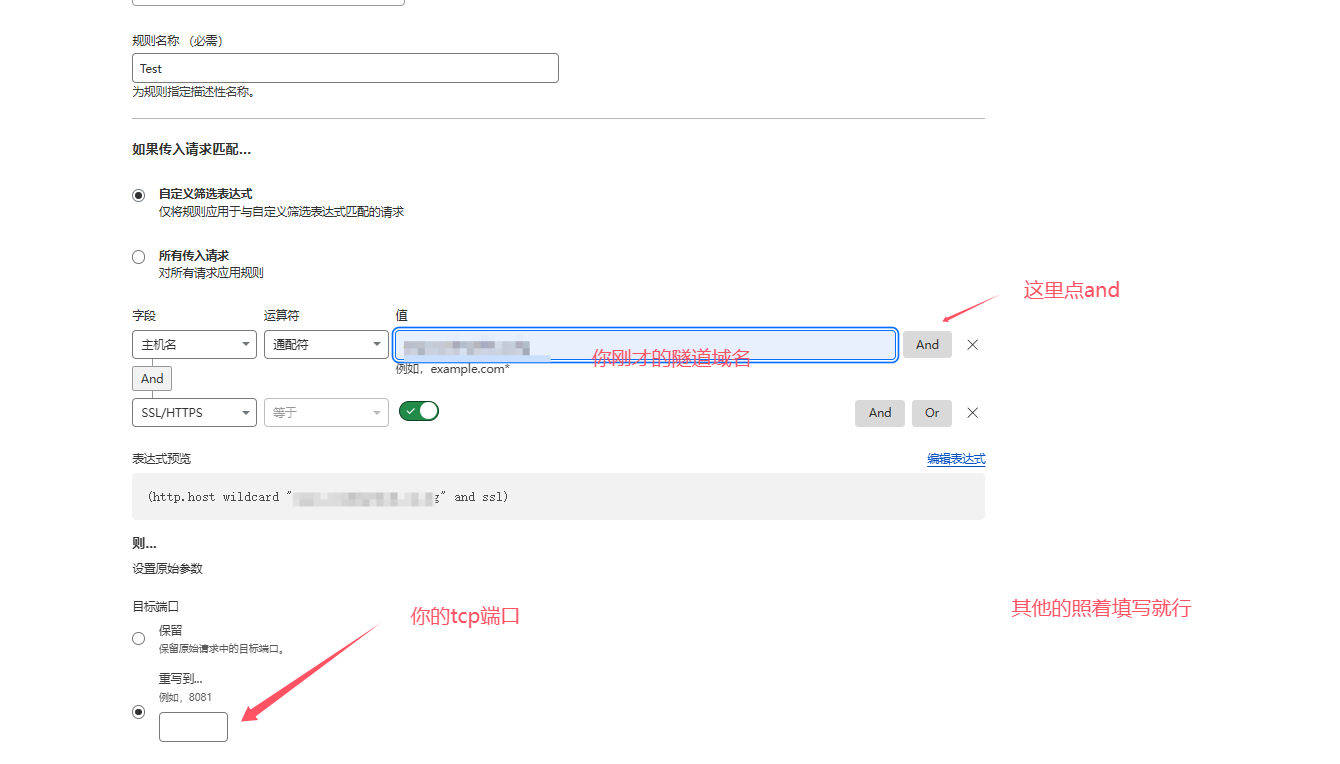
- Then fill in the disguised domain in V2Ray
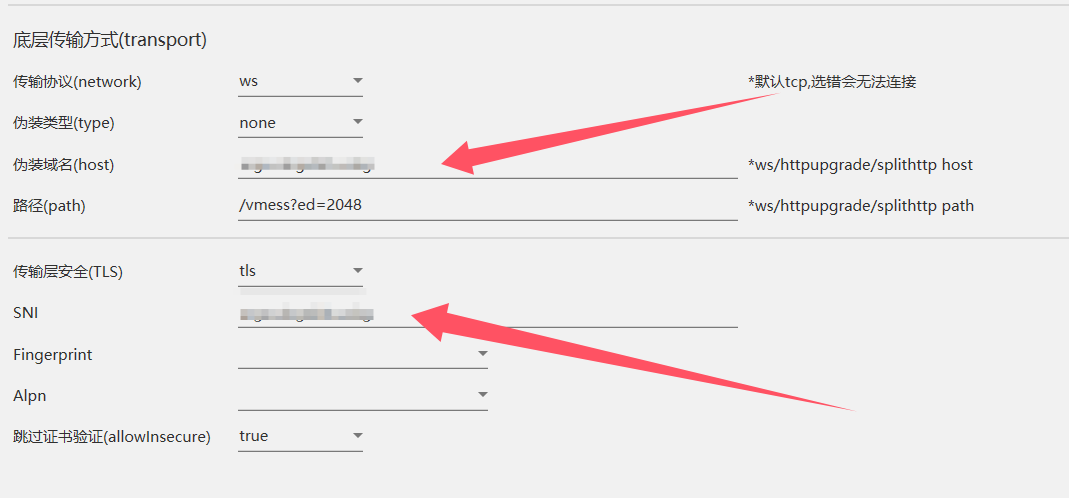
- At this point you can use any optimized IP you want. Tutorial finished.